⚙️


🔍
-
Funnel Admin:Edit Ticker Ads | Edit Video Slider Ads| Edit Meta| Edit Funnel| Create Funnel| Duplicate Funnel TO DO| Edit Image Slider Ads TO DO| Privicy Settings - Media
Admin only..:
Contact us | DM's | Funnel(s) | Dashboard | Meta Data | Wall Add our web app icons to your iphone homescreen | AI Prompts Management Tool | Settings

End Admin only
Help
Help
×
Responsive Image Help

Menu

Your Navigation
⚡

Admin Toolbar

Token: 6af777377c8fc... | Guest

XIA KID • OFFICIAL GUIDE

Listed: 2026-11-13 20:48:17

Aiden Sanchez
Ad
Admin Message

Send a message as administrator

Login to Your Account
or send a message below
Views 👀: (11) | CTA: (0) Deadline: 2035-10-13

Admin: Switch OFF/ON Timer Update/Add

Months
Days
Hours
Minutes
Seconds

Only Admins can see this: Share (popup our socials etc) |QR Code | Gifiy | Audio (text to speach) | Follow | Contact (popup, load email, DM, Chat, whatsapp no, form, upload cv)


QR Code Popup
Leads (0) |
×
Edit Funnel | Edit in CodeView | Upload Assets (Tokenkey) | Sync Images to gallery | Download F | Funnel Optimiser | Go Live! | Schedule Ad Post | Edit Funnel Promo Dates | Edit Funnel Form Content | Email Fan Gate (EFG) | EFG - CMS | Meta | Sharing Debugger

XIA KID • OFFICIAL GUIDE

Add My Music To Spotify
+ Use It In Your Reels

Takes 30 seconds. This is how you actually help me — not just a stream. Tap a step below to open it.
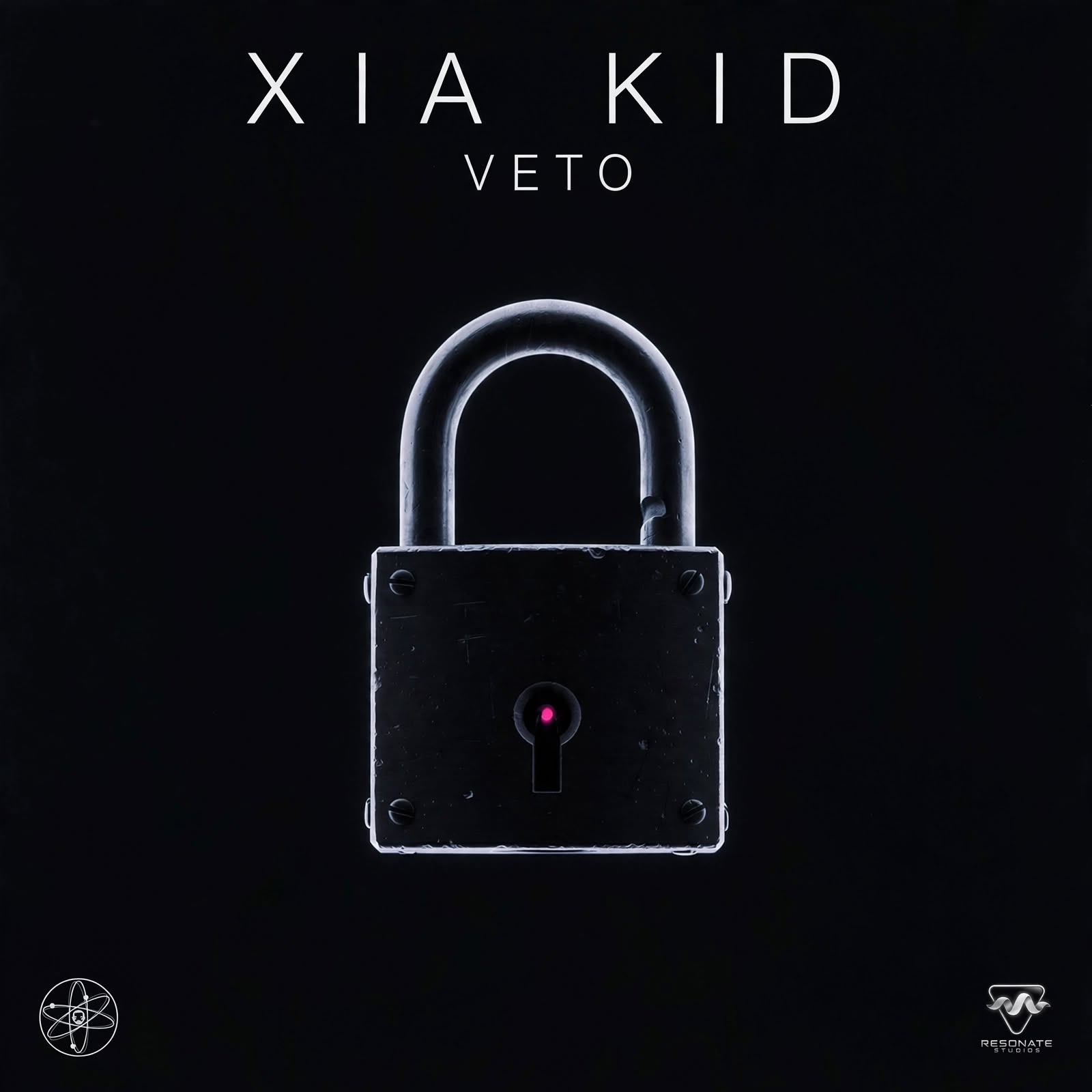

VETO - XIA KID
VETO • 3:04XIA KID • 1 reel
Hard Reset - XIA KID
Hard Reset • 3:38 ⭐XIA KID • 12 reels • Most used
Never Alone - XIA KID
Never Alone • 3:40XIA KID • 1 reel
ONLY NOW - XIA KID
ONLY NOW • 3:26XIA KID • 2 reels
0 of 8 steps opened • Start below
▶ OPEN VETO ON SPOTIFY - FOLLOW XIA KID ▶ WATCH ON YOUTUBE - SUBSCRIBE 🎁 ENTER THE VETO GIVEAWAY 🛍️ Visit My Store

No Spotify Premium needed. Works on Free Spotify. First time you link once, after that it's 1 tap.

★
SEE IT FOR YOURSELF - What You'll See +

When you open the Saved tab in Reels Audio, this is exactly what you'll see:

VETO — XIA KID • 1 reel • 3:04
Never Alone — XIA KID • 1 reel • 3:40
Hard Reset — XIA KID • 12 reels • 3:38 ⭐ Most used
ONLY NOW — XIA KID • 2 reels • 3:26
All with the white bookmark icon on the right = Saved.

Start with Hard Reset if you don't know which one to pick — 12 other creators already used it.

✓
BEFORE YOU START - 10 Sec Check +
Step 1: Update appsUpdate Instagram, Facebook, and Spotify to the latest version.
Step 2: Use Personal or Creator accountBusiness accounts sometimes can't see music or Use Audio because of licensing rules.
Step 3: Log into Spotify firstBe logged into Spotify on your phone already. It makes the link faster.
1
FIND MY MUSIC - 3 Ways +
  • Way 1 - From a Reel: Tap the song name at the bottom of any Reel, e.g. VETO - XIA KID
  • Way 2 - From a Story: Tap the song title at the top of a Story, then tap View Song Details.
  • Way 3 - Search Directly: In Instagram, tap Search > Tap Audio > Search "XIA KID" or "VETO"
  • Way 4 - From YouTube: Watch any video above, tap the song title, then open it on Spotify.
All 3 Instagram ways take you to the same Audio page with my song cover, name, and buttons.
Open Spotify Instead ↗ Watch VETO on YouTube ↗
2
ADD TO SPOTIFY - Do It Right +
Step 1: Tap Add to SpotifyOn the Audio page, tap Add to Spotify.
Step 2: Yes, allowFirst time only: "Allow connection to Spotify on Facebook?" → Tap Yes, allow
Step 3: Continue"Facebook Wants to Use accounts.spotify.com to Sign In" → Tap Continue
Step 4: Sign inSign in with Google, Facebook, Apple, or email.
Step 5: Done!Button changes to Added to Spotify. It goes to your Spotify Liked Songs in Your Library.

DO THESE 3 EXTRA THINGS - THIS IS WHAT TRIGGERS SPOTIFY:

Step 6: Follow meOpen Spotify > Search XIA KID > Tap Follow. This makes my next song land in your Release Radar.
Step 7: Add to YOUR playlistOn Spotify, tap 3 dots on my song > Add to playlist > Add it to YOUR OWN playlist, not just Liked Songs.
Step 8: Listen past 30 secondsPlay all the way through, past 30 seconds, without skipping. Then play it again later.
▶ Play VETO on Spotify Now
3
SAVE TO FAVORITES For Reels Later +

Save it NOW, so you can use it in 2 seconds later. This is the exact screen from the screenshots.

Step 1: Tap Save audioOn the same Audio page, tap Save audio.
Step 2: Bookmark fills inWhite bookmark on the right = Saved. It's now in your Saved Audio.
Step 3: Do all 4Do this for VETO, Never Alone, Hard Reset, ONLY NOW
  • Way 1 - From Reels Creator: Create Reel > Tap Audio > Tap Saved tab > Tap my song
  • Way 2 - From Your Profile: Profile > Menu > Saved > Audio folder > Tap my song > Tap Use audio
What you'll see in Saved tab: Tabs at top: For you / Trending / Original audio / Saved / Royalty-free. Tap Saved — my 4 songs are there with their covers and lengths.
4
USE IT IN YOUR REEL +

Way A - Use It Right Now: Audio page > Tap Use audio > Record / upload > Choose best 15-30 sec by dragging waveform > Post

Way B - Use It Later: Create Reel > Audio > Saved tab > Pick my song > Record / upload, edit, post

CREATOR PRO TIPS:

  • Tip 1: Put text on your Reel: "VETO - XIA KID" - Reels with visible track names drive 4.2x more Spotify searches.
  • Tip 2: Hook in first 2 seconds. Don't start with a black screen. Instagram ranks by watch time.
  • Tip 3: After you post, Share it via DM to 2-3 friends and ask them to save it. DM shares are weighted 3-5x higher than likes.
  • Tip 4: Use the song for more than 1 Reel. Each Reel is a new chance for someone else to discover it.
!
WHY IT MATTERS - Instagram's Own Ranking +

From my actual Reel Insights screen. Instagram lists these in order of importance to reach:

1. Skip rate#1 - Lower is better
2. Share rateShare it!
3. Like rateTap ❤️
4. Save rateTap Save
5. Repost rateRepost it
6. Comment rateComment
  • Don't skip my Reel. Skip rate is #1. Watch it through, even if it's playing in background.
  • Share > Like. A Share counts more than a Like. DM it to a friend who would like the song.
  • Save it. Save rate is #4, and it also saves the audio for your own Reel later. Double win.
  • Repost it. Repost is #5. Reposting my Reel to your Story counts.
Retention rate - What it means in plain English:

Retention rate = The % of views from people who continued to watch your reel at this timestamp instead of swiping away.

Example: If 100 people start watching, and 70 are still watching at 3 seconds, your retention at 3 seconds is 70%.

If people swipe away in the first 2 seconds, Instagram stops showing it. So watch it through, don't swipe.

Data is only available for 90 days after a reel is shared. New Reels show 0.0% while data is processing - that is normal.
▶
WATCH ON YOUTUBE - All Tracks +

Prefer YouTube? Watch, Like, Comment, Subscribe — it helps the same way. All 4 tracks are live:

On YouTube, do this: Watch past 30 seconds, Like, Comment "VETO" or your favourite lyric, Subscribe, and Share it. Same logic as Spotify — watch-through + engagement tells YouTube to recommend it.
▶ Open My YouTube Channel
5
TROUBLESHOOTING - If It Doesn't Work +
No Add to Spotify button: Update Instagram and Spotify, then close and reopen both apps. Feature is still rolling out to some accounts.
It says Added but not in Spotify: Check Spotify > Your Library > Liked Songs. It doesn't go to a custom playlist automatically.
Use Audio is greyed out: You might be on a Business account, or song isn't licensed in your country. Switch to Creator/Personal, or search song name directly in Audio library.
It asks to link every time: You are logged into a different Spotify account than the one you linked. Go to Instagram Settings > App website permissions > Check linked Spotify account.
Insights show 0.0% / -- : Normal for a new Reel. Wait for data to process. Retention data only lasts 90 days.

Why This Works - The Research

  • A Save is worth more than a Stream. Spotify pushes songs when people save, add to their own playlist, listen past 30 seconds, and listen again.
  • First-time link = 1 tap after. First time you link Instagram/Facebook to Spotify. After that, one-tap to Liked Songs.
  • No Spotify Premium needed. Works even on free Spotify.
  • Reels that show the track name get 4.2x more Spotify searches. People can't save what they can't read.
  • DM Shares and Saves matter most on Reels. Instagram ranks Reels by watch time, DM shares, and saves, not just likes.
  • Instagram's own order: Skip rate > Share rate > Like rate > Save rate > Repost rate > Comment rate. That's from the Reel Insights screen.

SHORT VERSION FOR YOUR CAPTION - Copy This:

Support XIA KID in 30 seconds: 1. Tap song name - VETO by XIA KID 2. Tap Add to Spotify > Yes, allow > Continue > Sign in 3. On Spotify: Follow me + Add it to YOUR playlist + Listen past 30 sec 4. Back on Instagram: Tap Save audio so it's in your Favorites 5. To use it: Create Reel > Audio > Saved > VETO > Use audio BONUS: Don't skip, Share it, Save it, Repost it - That's what Instagram ranks #1-5 Also on YouTube: Watch VETO, Like, Comment, Subscribe Save + Follow + Playlist + Share = You just helped me more than a stream ever could!
🎧 Open Spotify - Follow XIA KID ↗ ▶ YouTube - Subscribe ↗ 🎁 Enter The VETO Giveaway

Quick Apply
Edit URL SHORTS(URL SHORTS ID:904 - Admin only content - Edit Ad | Edit Image Stats
Sponsored Ads
Admin: Add Metta or Use existing Funnl


Unlock the power of dynamic meta data services for personalized, SEO-optimized, and efficient web experiences. Adapt to changes, conduct A/B testing, and integrate seamlessly with social media. Ref:1795366163

Read more..

Green Web Hosting - Kualo
1 / 5
×
What we do

Spread this Ad across your social media platforms!

Read more..

Image for https://www.jaysoftware.co.uk/af/lookup.php?id=1794602802

XIA KID • OFFICIAL GUIDE

/* XIA KID FUNNEL - Scoped, no conflicts */ .xk-funnel{--xk-bg:#0a0a0f;--xk-card:#16161f;--xk-green:#1DB954;--xk-text:#ffffff;--xk-muted:#b3b3c2;--xk-line:#2a2a38;font-family:Inter,system-ui,-apple-system,Segoe UI,Roboto,Arial,sans-serif;background:var(--xk-bg);color:var(--xk-text);max-width:720px;margin:0 auto;padding:16px;box-sizing:border-box;border-radius:20px} .xk-funnel *{box-sizing:border-box} .xk-hero{text-align:center;p

JaySoftware Ltd

Imagination Technology

What we do?
⏯️ 🔊

What we do?

At JaySoftware Ltd we specialize in revolutionizing brand promotion through the fusion of influencer marketing and advanced artificial intelligence. Our mission is to empower influencers with state-of-the-art AI tools, transforming them into dynamic catalysts for our clients' products and services. By harnessing the power of cutting-edge technology, we redefine the landscape of digital marketing, ensuring unparalleled reach, engagement, and impact.

Our comprehensive suite of AI tools is tailored to seamlessly integrate with influencer campaigns, providing data-driven insights, personalized content optimization, and real-time analytics. From identifying target audiences to optimizing messaging strategies, we take influencer marketing to new heights, driving results that exceed expectations.

Join us in reshaping the future of brand promotion. Elevate your influence, maximize your brand's potential, and embark on a journey of innovation with JaySoftware Ltd. Let's create success together in the era where technology meets influence!

Who are we?
⏯️ 🔊

Who are we?

We have assisted numerous award-winning digital agencies and prominent brands such as Adobe Generation, Durex, QVC Television, Sony, Lastminute.com, and Virgin Media, among others, in establishing a strong presence in the social networking arena for their brands or esteemed clients. Our role is to bridge the gap in their employees' skill sets, offering localized British expertise on the ground. We understand our clients' concerns about social networking and the imperative to maximize return on investment (ROI).

Repeatedly, we have demonstrated our ability to add substantial value to our clients' endeavors, delivering an ROI surpassing traditional print methods. Our approach effectively engages and attracts new customers to our clients' brands. With a wealth of experience, proper resources, and a readiness to tackle your challenges collaboratively, we bring fresh ideas to your organization.

Play to listen
🟢 Online now (last 5 min)  |  👥 Total unique IPs  |  📅 0 new today
Online 6
👥 Total 26,372