🏷️ Dynamic Meta Data Manager

Manage SEO titles, descriptions, keywords, and social media images for funnel landing pages.

βž• Create New Entry for: 6930c1e42567e New Entry

πŸ€– AI Generate Image Manus IM Elevenlabs AI talking-photo-generator AI Meta βœ‚οΈ Edit Image (672Γ—432) V1 βœ‚οΈ Edit Image (672Γ—432) V2.0 βœ‚οΈ Edit Image (672Γ—432) V2.1 πŸ”— Upload images to ITS
πŸ”— View Landing Page

πŸ“‹ All Meta Data Entries

80 total records
ID Image Title Token Key Landing Page Author Keywords Actions
121 thumb QR Code Cash Transfers 668e948859130 View β†’ Daniel Mason cash ✏️ Edit πŸ—‘
120 thumb Take action now for a sustainable future 66e006747ea07 View β†’ Daniel Mason Impoverished Communities, Resource Exploitation, Natural Wealth, Underdeveloped Countries, Wealth Redistribution, Global Equity, AI Integration, Old World Wisdom, Innovative Spirit, Sustainable Development, Economic Justice, Fair Distribution, Resource Ma ✏️ Edit πŸ—‘
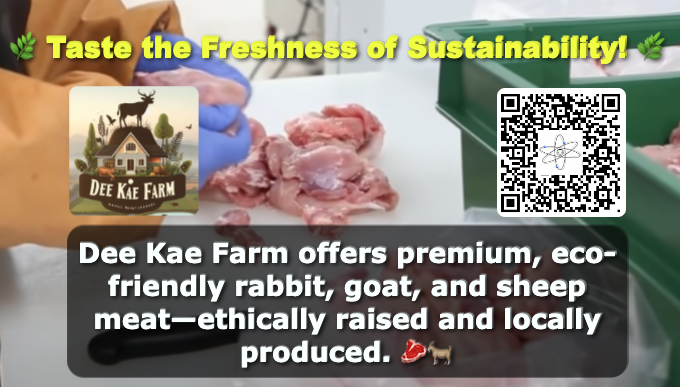
119 thumb Dee Kae Farm - Sustainable & Eco-Friendly Meat Production in Saint Vincent 66cd8750c6189 View β†’ Daniel Mason Dee Kae Farm, eco-friendly meat, sustainable farming, Saint Vincent, rabbit meat, goat meat, sheep meat, local meat production, sustainable agriculture, high-quality meat ✏️ Edit πŸ—‘
118 thumb Join ITS: Elevate Your Career Services with Cutting-Edge AI and Marketing Tools 66b9e96b01345 View β†’ Daniel Mason Career services, Career expert jobs, Tutor opportunities, AI-powered career tools, Marketing strategies for career services, Remote career guidance, Global career coaching, Professional development, Join ITS Career support and growth ✏️ Edit πŸ—‘
117 thumb Join the Research Panel 66a788743ece5 View β†’ Daniel Mason Microsoft Office 2021, Office Professional Plus, Office 2021 Suite, Microsoft Office Suite, Productivity Software, Office Applications, Word, Excel, PowerPoint, Office 365 Integration ✏️ Edit πŸ—‘
116 thumb For Employers: How to Sponsor a Security Worker 6697b7079bb38 View β†’ Daniel Mason visa sponsorship, UK visa, Skilled Worker visa, Certificate of Sponsorship, Sponsor Licence, security job UK, UK immigration, work visa UK, visa application process, UK Home Office, job offer letter, visa compliance, immigration lawyer, work permit, emplo ✏️ Edit πŸ—‘
115 thumb Exclusive Promotions - Coupon Codes & E-Gift Cards 6696bd179f215 View β†’ Daniel Mason coupon codes, e-gift cards, discounts, promotions, savings, special deals, online shopping, exclusive offers ✏️ Edit πŸ—‘
114 thumb Elevate Your Brand with the Complete Digital Ecosystem | ITS 657c392606c33 View β†’ Daniel Mason digital business ecosystem, all-in-one platform, social media platform, livestream software, software store, audiobook platform, music store, traffic routing, giveaway management, link manager, affiliate tracking, GDPR compliance, marketing funnels, analy ✏️ Edit πŸ—‘
113 thumb Promoting Renewable Energy and Decentralized Power Generation in SVG 6687ac746d3c8 View β†’ Daniel Mason Dynamic Meta Data, Ad Delivery Optimization, Engaging Visuals, Call To Action (CTA), Clickable Link, Real-Time Performance Metrics, Funnel Pages, Visitor Insights, Conversion Metrics, Advertising Spend Control, Swift Campaign Launches, Qualify Leads, Conv ✏️ Edit πŸ—‘
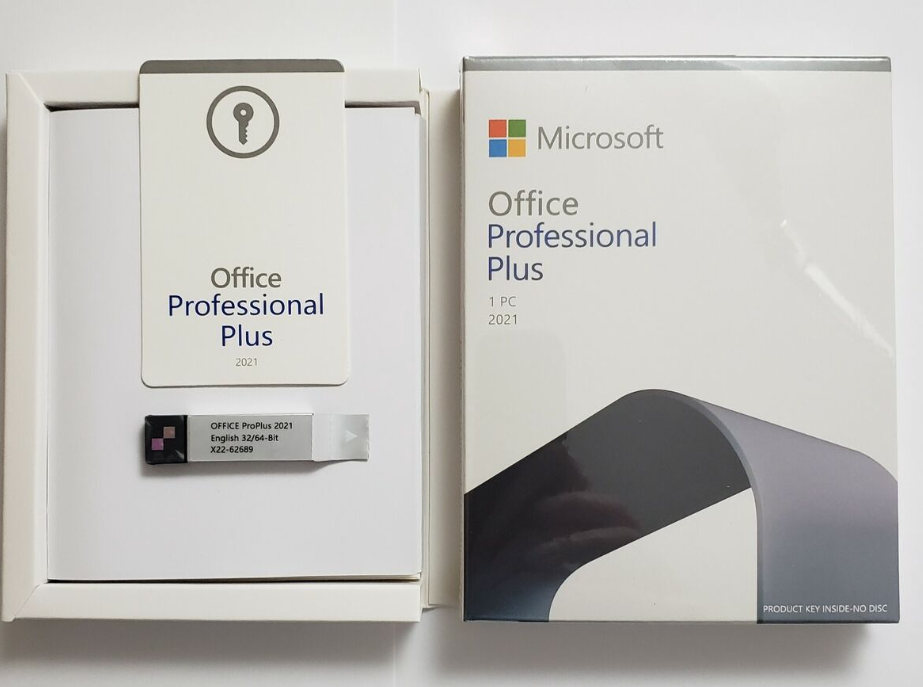
112 thumb Microsoft Office 2021 Professional Plus Flash Sale 656cd0416036a View β†’ Daniel Mason Microsoft Office 2021, Office 2021 Professional Plus, Microsoft Office 2021 features, Office 2021 system requirements, Office 2021 pricing, Microsoft Office suite ,Office 2021 download, Office 2021 activation, Office 2021 product key, Office 2021 updates ✏️ Edit πŸ—‘

πŸ› οΈ Image & AI Creative Tools

πŸ“– Meta Data Manager Help

🏷️ What This Page Does

The Dynamic Meta Data Manager controls how your funnel landing pages appear when shared on social media (Facebook, Twitter, LinkedIn, WhatsApp) and how they're indexed by search engines (Google, Bing).

Each entry maps to a tokenkey β€” the unique identifier in your funnel URLs (?id=TOKENKEY). When someone shares that link, the title, description, and image you set here become the preview card.

πŸš€ How to Use

  1. Navigate to this page with your tokenkey:
    admin_ads.php?id=YOUR_TOKENKEY
  2. If an entry exists, it loads at the top ready to edit. If not, you'll see the Create New Entry form.
  3. Fill in the Title (this becomes the bold headline when shared).
  4. Write a compelling Description (1-2 sentences that make people want to click).
  5. Add Keywords (comma-separated, helps with SEO and some social platforms).
  6. Upload an Image (ideally 1200Γ—630px for optimal social preview).
  7. Click Update Entry to save.
πŸ’‘ Pro Tip: Use the AI Generate Image button to create custom images with Bing DALLΒ·E 3, then resize them with the Edit Image (672Γ—432) tool.

πŸ“‹ Fields Explained

  • Database ID: Read-only. The unique record number in the database. Useful for referencing specific entries.
  • Title (Feature): The headline. Keep it under 60 characters for best results. This appears as the bold title on Facebook shares and search results.
  • Author: Your name or brand. Displayed in some social previews and meta tags.
  • Description: The body text. Aim for 150-160 characters. This is the smaller text below the title in social previews. Make it compelling β€” this is your pitch.
  • Token Key: The funnel identifier. This links the meta data to a specific landing page URL. Changing this changes which page the meta data applies to.
  • Keywords: Comma-separated tags. While Google no longer uses these for ranking, other platforms and internal search may. Good for organisation.
  • Image: The preview image. Facebook recommends 1200Γ—630px. Keep file sizes under 8MB. Leave empty when editing to keep the current image.

πŸ“Š Table & Search

The table below the edit form lists all meta data entries in the database, newest first. Use it to:

  • Search: Type a tokenkey, title, author name, or keyword to filter the list instantly.
  • Edit: Click the ✏️ Edit button on any row to load that entry into the top form.
  • Delete: Click πŸ—‘ to remove an entry permanently. Entry #45 is protected as a sample.
  • Highlighting: The entry currently loaded in the editor is highlighted in blue with a β¬… indicator.
⚠️ Warning: Deleting an entry removes the meta data immediately. Any shared links using that tokenkey will fall back to default platform meta data. There is no undo.

πŸ–ΌοΈ Image Guidelines

  • Optimal size: 1200Γ—630 pixels (Facebook / LinkedIn)
  • Minimum: 600Γ—315 pixels
  • Max file size: 8MB
  • Formats: JPG, JPEG, PNG, GIF, WebP
  • Aspect ratio: 1.91:1 (landscape)
  • Avoid: Text-heavy images (Facebook may reject or reduce reach). Keep text under 20% of the image.
πŸ”§ Tools: Use Bing DALLΒ·E 3 to generate images, Photopea for advanced editing, and the 672Γ—432 resizer for quick cropping β€” all linked from the top of the page.

πŸ”’ Duplicate Prevention

The system prevents duplicate tokenkeys. Each tokenkey can only have one meta data entry. If you try to create a new entry for a tokenkey that already exists, you'll see an error message with a link to edit the existing entry instead.

If you need different meta data for different contexts using the same tokenkey, consider creating a separate tokenkey (e.g., via the Traffic Router) that points to the same destination with different meta data.

πŸ‘οΈ Testing Your Meta Data

After saving, test how your link appears on each platform. Testing tokenkey: 6930c1e42567e

  • Facebook: Sharing Debugger β€” opens with your URL pre-filled. Click Debug, then Scrape Again to refresh cached data.
  • Twitter: Card Validator β€” opens with your URL. Click Preview Card to see the Twitter Card.
  • LinkedIn: Post Inspector β€” opens with your URL. Click Inspect to refresh LinkedIn's cache.
  • WhatsApp: Send this link to yourself in a chat:
    https://www.jaysoftware.co.uk/af/lookup.php?id=6930c1e42567e
πŸ’‘ Tip: Social platforms cache meta data aggressively. After updating, use the debugger tools above to force a refresh. Without this, changes may not appear for 24-48 hours.
πŸ”— Your test URL:
https://www.jaysoftware.co.uk/af/lookup.php?id=6930c1e42567e
πŸ” Debug on Facebook

⌨️ Keyboard Shortcuts

  • ? Open / close this help panel
  • Esc Close the help panel